
BMW CODING & RETROFITS // 2026-10-27 // 3 min read
BMW Apple CarPlay Activation: How It Works and What Your Car Needs
Factory activation, coding or hardware retrofit — how BMW Apple CarPlay activation really works, which BMW generations support it, and how to tell which one your car needs.
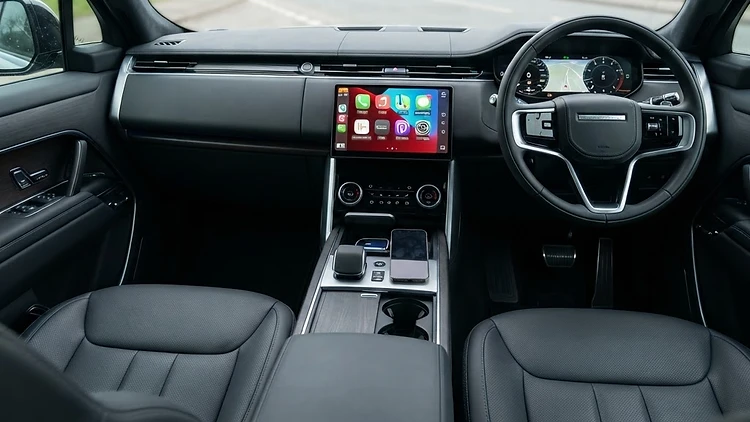
Apple CarPlay is one of the most requested BMW features in our workshop — and one of the most misunderstood. Some owners are told their car "doesn't have it" when in fact the hardware is fitted and it simply isn't activated. Others are told it's a five-minute job when their vehicle actually needs hardware. Getting it right starts with knowing which situation your car is in.
What Apple CarPlay activation actually means
On many BMWs, CarPlay capability was built in at the factory: the head unit, display and connectivity hardware are all present, but the function was never activated — perhaps it wasn't specified new, or the vehicle predates its introduction. In these cases, activation is a software and coding process: the function is enabled in the vehicle's systems and the necessary licences and settings are applied. No parts are fitted; nothing is bolted in.
Where the vehicle lacks the underlying hardware, activation isn't possible on its own — the hardware comes first, then the coding.
Compatibility: the honest version
Compatibility depends on the vehicle's generation and specification:
- F-Series and G-Series BMWs with NBT or NBT EVO head units generally support CarPlay, with availability depending on the head unit version, the display fitted and the vehicle's build.
- Early NBT units can require a software update to a compatible level before activation can succeed.
- MGU / iDrive 7 and iDrive 8 vehicles have CarPlay support built into the platform, again subject to specification.
- The presence of a professional navigation system, the correct display type and the vehicle's option code history all affect what's possible.
This is why we check compatibility against the vehicle before quoting — usually from the VIN or registration, plus a diagnostic check. Every activation we do is verified against the actual vehicle, not assumed from the model.
How activation is done properly
A proper activation isn't a code entered into a menu:
- Compatibility check. The vehicle is identified by VIN; the head unit, display and options are confirmed to support the function.
- Software preparation. If the head unit software is below the required level, it's updated first, under a stable power supply.
- Activation and coding. The function is enabled in the vehicle's systems, with the licences and vehicle-specific settings applied so CarPlay appears correctly in the iDrive menus.
- Verification. The vehicle is connected to a phone and the function is tested — not just switched on, but confirmed working: connection, audio routing, control input and display.
Wired, wireless and the differences
How CarPlay connects depends on the hardware generation. Some vehicles work over USB only, others support wireless connection where the vehicle's hardware allows it. Where wireless support is part of the specification, the same activation process enables it; where it isn't, wireless CarPlay can't be coded into a vehicle that lacks the supporting hardware. We'll always tell you which applies to your car before any work is done.
Activation versus retrofit
Activation assumes the hardware is already fitted. Where it isn't, a retrofit is needed — fitting the missing components and then carrying out the coding. Retrofits are more involved: correct parts for the vehicle, proper installation, and coding so the vehicle accepts the new components. You can read about our wider retrofit work on the retrofits and upgrades page.
Can this be done remotely?
In many cases, yes. CarPlay activation on compatible vehicles is one of the services we offer through JVS Remote Connect — subject to vehicle compatibility, the required equipment on your side, a stable internet connection, suitable power support during coding and a prior assessment to confirm the vehicle is suitable. For owners across the UK, it's a way to have the work done properly without travelling to Telford.
Get your car checked
Interested in CarPlay activation, or unsure whether your BMW supports it? Jono's Vehicle Solutions offers professional BMW coding, programming and activation from our Telford workshop. Contact us with your registration or VIN and we'll confirm exactly what's possible on your vehicle — before you spend anything.
Related reading: BMW Android Auto compatibility · BMW software updates explained