
BMW CODING & RETROFITS // 2026-10-27 // 3 min read
BMW Android Auto: Compatibility and Activation Explained
Which BMW generations support Android Auto, why it's missing on cars that should have it, and how activation, software level and hardware each decide what's actually possible.
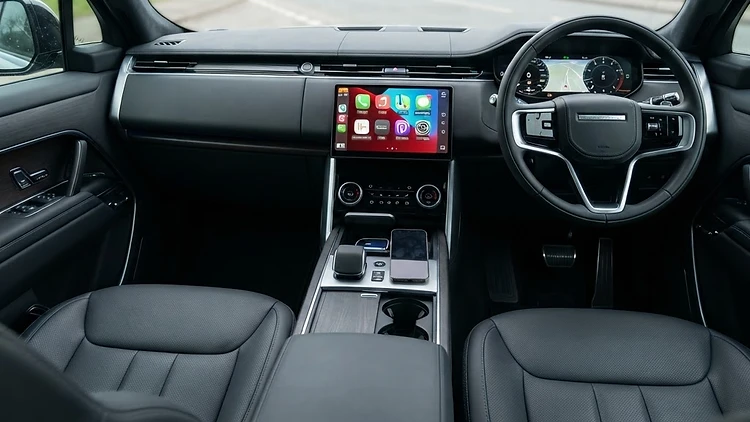
Android Auto tends to arrive at BMW later than its rivals, and the support picture is more complicated than many owners expect. The result is a stream of enquiries: "my BMW doesn't show Android Auto", "it worked and now it doesn't", or "my car has CarPlay — surely it has Android Auto too?". The honest answer is that support depends on the vehicle's generation, its head unit and its build specification — and the only way to know is to check the actual vehicle.
Which BMWs support Android Auto
- NBT EVO head units (F-Series era, from roughly 2016 builds onwards) brought Android Auto support to many vehicles — but commonly via USB connection rather than wireless.
- MGU / iDrive 7 vehicles (G-Series era) support Android Auto, with wireless support depending on the vehicle's specification and hardware.
- iDrive 8 and later vehicles include Android Auto support as part of the platform.
- Older CCC and early CIC/NBT systems do not support Android Auto — the head unit hardware predates it, and no coding or update can add it.
Even within supported generations, availability depends on head unit version, display specification and the vehicle's option history. That's why we confirm compatibility from the VIN or registration, plus a diagnostic check, before quoting any activation.
Why a supported car might not show Android Auto
When a vehicle should support Android Auto but doesn't:
- The function isn't activated in the vehicle's systems — present in hardware, enabled nowhere.
- The head unit's software is below the level required for Android Auto support.
- The function has stopped working after other work — battery disconnection, software updates or repairs at another workshop that left settings or coding in a mixed state.
- A phone-side or connection issue is masquerading as a vehicle fault — worth eliminating, but never assumed.
How activation is done properly
The process mirrors CarPlay activation, done correctly:
- Compatibility confirmation against the actual vehicle — head unit, display and options verified by VIN and diagnostic check.
- Software preparation where the head unit needs updating first, performed under a stable power supply.
- Activation and coding so Android Auto appears in the iDrive menus with the correct settings and licences.
- Verification — connecting a phone and confirming the system works, not just that the menu entry exists.
Wired and wireless: the difference
Whether Android Auto connects by USB or wirelessly depends on the vehicle's hardware, not on coding choices. Many F-Series vehicles with NBT EVO support wired Android Auto; wireless requires the appropriate hardware built into the vehicle. Coding can enable what the hardware supports — it cannot create hardware that isn't there. We'll always tell you which applies to your car before any work is carried out.
What Android Auto activation doesn't do
An activation won't fix a failing head unit, a weak battery causing communication dropouts, or a fault elsewhere on the vehicle's data network. If Android Auto drops out intermittently, the diagnosis looks further than the setting — the fault memory, supply voltage and communication logs tell the real story. Our starting point is always diagnosing the actual cause.
Remote activation
For suitable vehicles, Android Auto activation can be performed remotely through JVS Remote Connect — subject to vehicle compatibility, the required equipment, a stable internet connection, suitable power support during coding, and a prior assessment confirming the vehicle is suitable.
Experiencing BMW electrical or software problems? Jono's Vehicle Solutions offers professional coding, programming and activation from our Telford workshop, with remote services across the UK. Contact us with your registration or VIN and we'll confirm what your vehicle supports.
Related reading: BMW Apple CarPlay activation · BMW head unit software faults